
Snapmaker × Phaetus® Liber™ High Flow Hotend for U1 pack of 4


Snapmaker × Phaetus® Liber™ High Flow Hotend for U1 pack of 4
Snapmaker × Phaetus® Liber™ High Flow Hotend for U1 pack of 4
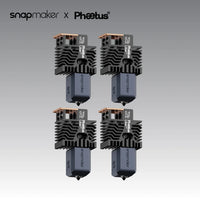
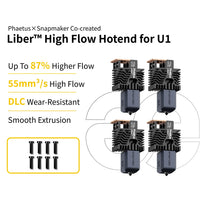
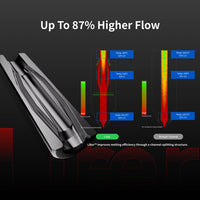
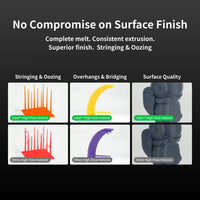
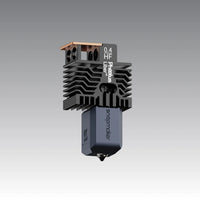
The Snapmaker × Phaetus® Liber™ High Flow Hotend for U1 (4-Pack) is designed to boost printing speed and extrusion efficiency on your Snapmaker U1. Featuring Phaetus’ innovative Liber™ split-flow technology, it delivers up to 55 mm³/s maximum volumetric flow and up to 87% higher volumetric flow, helping reduce print times on large models with long, continuous extrusion paths.
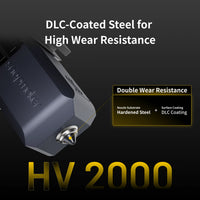
Each hotend features a DLC-coated hardened steel nozzle for enhanced wear resistance and a precision-machined, ultra-smooth filament path designed to reduce friction, residue buildup, and clogging. Combined with a titanium alloy heat break and support for printing temperatures up to 300°C, the Liber™ High Flow Hotend provides reliable extrusion and consistent print quality at higher speeds.
This convenient 4-pack includes four complete 0.4 mm hotend assemblies with thermistors, making it ideal for users looking to upgrade multiple toolheads or keep spare hotends ready for demanding print jobs.
Product specifications
What's In The Box (4-Pack)

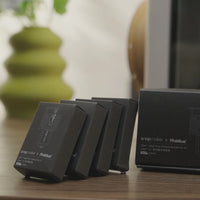
Individual Boxes x 4
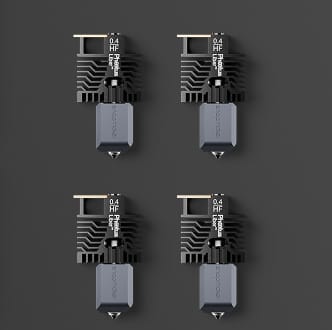
0.4 mm Hotend Assembly(with Thermistor) x 4
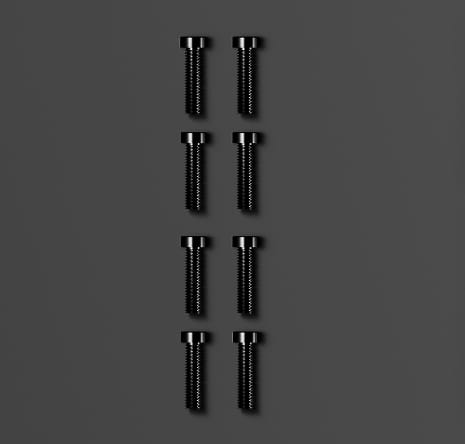
Screws (M3*12) x 8

Wiki Cards x 4
FAQ
Important Notes
- The High Flow Hotend is best suited for printing large models with long, continuous extrusion paths, where its high-speed, high-flow capabilities can be fully utilized. For models with intricate details, complex curved surfaces, numerous corners, or frequent changes in direction, printing speeds may be limited, and the benefits of the High Flow Hotend may be less noticeable.
- The U1 currently does not support using hotends with different nozzle diameters in the same print job. Before printing, ensure that all toolheads used in the print job are equipped with hotends of the same nozzle diameter.
- For hotend installation instructions, refer to the U1 Hotend User Guide.
- When switching from high-temperature filaments, such as ABS, ASA, PA, or PC, to heat-sensitive filaments, such as PLA or PETG, perform a cold pull before printing to help prevent clogging. Use the printer's unloading procedure to unload the high-temperature filament, then load the new filament without starting the loading procedure. Set the nozzle to the high-temperature filament's printing temperature and manually extrude until the residual filament is fully purged and the new filament flows smoothly. Lower the nozzle temperature to 220-240°C and continue extruding as it cools. Then lower it to 85°C and, once cooled, slowly pull the filament upward. A three-pronged tip indicates a successful cold pull. If the filament cannot be extruded, increase the nozzle temperature or clear the nozzle with a cleaning needle. For more details, refer to the U1 Hotend User Guide on the official Wiki.
