
Bambu Lab H2D by Bambu Lab


Bambu Lab H2D by Bambu Lab
Bambu Lab H2D — Rethink Personal Manufacturing
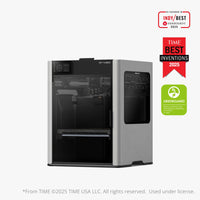
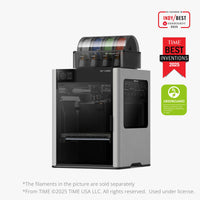
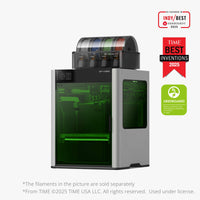
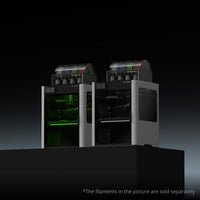
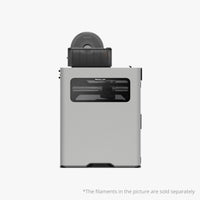
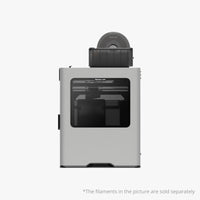
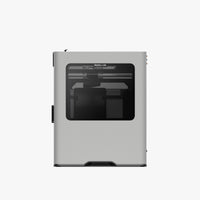
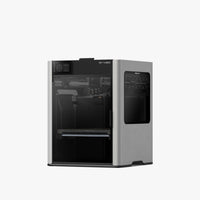
The H2D is more than a 3D printer. It is an all-in-one personal manufacturing hub that integrates 3D printing, laser engraving and cutting, and digital cutting and plotting in a single unified platform.
All-In-One Personal Manufacturing Hub
Go beyond 3D printing. The H2D adds laser engraving and cutting (10W and 40W 455nm laser), digital blade cutting on a variety of materials, and pen drawing and plotting — all from one machine.
- 10W laser — cuts up to 5mm plywood
- 40W laser — cuts up to 15mm plywood
- Digital cutting — precise cuts on fabric, vinyl, paper & more
- Pen drawing — writing and illustrations
Dual-Nozzle, Double Flexibility
The H2D's groundbreaking dual-nozzle switching system enables fast, efficient multi-material and multi-color printing. Both nozzles are calibrated automatically before every print using eddy current sensing technology — no tools, no manual adjustment.
- Print flexible and rigid materials together in a single job
- Dedicated support material nozzle — minimal waste, perfect interfaces
- Efficient multi-color printing with fast filament changes
- Full-auto dual-nozzle offset calibration, immune to nozzle debris
Revolutionizing Accuracy
With an optional Vision Encoder, the H2D achieves 50µm ultra-fine motion accuracy across the entire workspace — one order of magnitude better than its predecessor. Auto Hole/Contour Compensation ensures perfect-fit prints with standard hardware parts, first time, every time.
- 5µm resolution optical measurements track and correct toolhead motion
- Dual-nozzle offset under 25µm — two nozzles that print like one
- Nozzle pressure sensing and active flow rate compensation
- Active vibration compensation for smooth, sharp results at high speed
AI-Powered Intelligence
Four computer vision cameras and 36 sensors work together to monitor every aspect of your print. The AI-backed nozzle camera with macro lens detects clumping, air printing, and spaghetti failures in real time. Before every print, an automated pre-flight checklist scans the chamber for debris and audits hardware configuration automatically.
- DynaSense Extruder — 20kHz torque/resistance sampling for precision extrusion
- 15 sensors along the full AMS-to-nozzle filament path
- Health Management System 2.0 — diagnostics with step-by-step troubleshooting
- Pre-flight checklist: chamber scan + hardware audit before every print
Bigger, Faster, Better
A generous print volume of up to 350mm × 320mm × 325mm gives you the space for large-scale models and oversized projects. The purpose-built high-flow hotend enables consistent printing at up to 600mm/s, free from mid-print flow rate restrictions.
- 350°C hotend — handles carbon fiber, glass fiber, and engineering-grade filaments
- 65°C active chamber heating — eliminates warping on high-performance materials
- Hardened steel extruder and nozzle for fiber-reinforced material printing
- Full-metal frame and die-cast aluminum chassis for stability at speed
- Quick-swap nozzle — tool-free change with a single clip
Next-Gen Filament Management — AMS 2 Pro
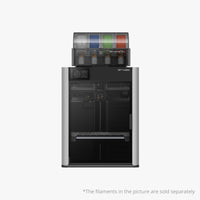
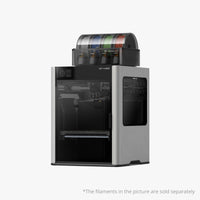
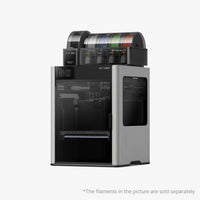
The all-new AMS 2 Pro features brushless servo motors for 60% faster filament feeding, built-in active filament drying, and RFID sync for automatic material presets. Fully sealed with an electromagnetic air vent that toggles between drying and airtight storage modes.
- Built-in filament drying with auto-rotate for even heat distribution
- Electromagnetic air vent — drying mode and airtight seal, automated
- RFID sync — auto-applies optimal drying settings for Bambu filaments
- Tool-free filament tube access from the top
- Ceramic filament inlets — Vickers hardness 1200 for long-term durability
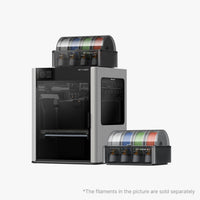
- Supports up to 4× AMS 2 Pro + 8× AMS HT = up to 25 colors simultaneously
Live Spatial Alignment & Smart Laser Features
The BirdsEye camera (Laser Edition) delivers top-view alignment accuracy up to 0.3mm for true what-you-see-is-what-you-get placement on your material. Combined with Bambu Suite, it enables Print-Then-Cut workflows and auto material arrangement to minimize waste.
- Full-auto laser focus calibration — one tap, no manual setup
- Material CodeSync — scans QR code to load the perfect laser preset automatically
- Print-Then-Cut — AI camera aligns cutting path to your graphic print precisely
- Auto Arrangement — Bambu Suite places your design to maximize leftover material
- Contact-less 3D Mesh — optical height mapping for laser work on curved surfaces
- Rotary attachment support for engraving cylinders, spheres, and rings (optional)
Safety, Checked
The H2D's upgraded safety design includes passive and active protections across 3D printing and laser operations.
- Laser safety windows — no goggles required for monitoring
- Door-triggered emergency stop during laser operation
- Loud buzzer and emergency stop button (Laser Edition)
- Flame-retardant chamber materials for passive fire protection
- Flame sensors with push notification alerts
- Multi-sensor closed-loop temperature control across all heating components
- Adaptive Airflow — filtration, heating, and odor control in one system
Connectivity Your Way
Choose seamless cloud connectivity for remote control from any device, or operate fully offline in physically isolated mode — send files, control the printer, and update firmware without an internet connection. Developer Mode enables MQTT port access for third-party integrations.
Bambu Lab H2D — Community FAQ
Real questions from the r/BambuLab community, answered.
Buying & Pricing
Is the H2D worth it over the X1C?
The H2D costs significantly more than the X1C and takes up considerably more desk space (514×492×626mm vs 389×389×457mm). If you primarily print in one or two colors using PLA or PETG on a standard desk, most community members say the X1C is still the smarter buy. However, if you need a large build volume, dual-material printing without purge waste, or engineering-grade filaments like PA-CF, the H2D is worth every dollar. The general consensus: don't buy it for laser alone, but for 3D printing versatility it's the best Bambu has made.
📌 r/BambuLab · Bambu community forumWhat's the difference between H2D, H2S, and H2C?
All three share the same chassis. The H2S is single-nozzle — essentially a larger X1C at a lower price. The H2D adds the dual-nozzle system and supports both 10W and 40W laser modules. The H2C (released late 2025) adds the 'Vortek' tool-changer with up to 6 hot-ends, but has a slightly smaller build volume (330×320×325mm vs 350×320×325mm). H2D users can upgrade to H2C later with the Vortek Upgrade Kit, though it's a complex process.
📌 r/BambuLab · 3dtechvalley.comWhich config should I buy — base, AMS Combo, or Laser Full Combo?
The community strongly recommends the AMS Combo ($2,199) as the minimum. The base H2D ($1,899) without an AMS loses much of what makes the dual-nozzle useful. The Laser Full Combo ($2,799) is best if you have a genuine use for engraving/cutting — but read the laser warnings carefully before committing. Most hobbyists land on the AMS Combo as the sweet spot.
📌 r/BambuLab · MatterHackersShould I get the 10W or 40W laser?
The 10W cuts up to 5mm plywood; the 40W handles up to 15mm. In community testing, both perform well for engraving and cutting wood, acrylic, rubber, and similar materials. The 40W is bulkier, which slightly reduces the maximum engraving height. For most home users, the 10W is enough. The 40W makes sense if you regularly cut thick materials. Both use the same blue diode laser technology.
📌 r/BambuLab · hackster.ioLaser & Cutting
Will laser smoke and soot damage the printer's internals over time?
This is the most debated topic in r/BambuLab. A viral thread titled "DO NOT GET THE LASER - You've been warned!" warned that vaporized material builds up in places you can never clean. Bambu Lab says their exhaust system keeps contamination negligible, and owners with hands-on time report no noticeable buildup so far — with documented cleaning procedures available in the wiki. The honest answer: it's still early and only long-term data will settle this. If cleanliness is a concern, the non-laser H2D paired with a separate dedicated laser cutter is a common alternative recommendation.
📌 r/BambuLab · hackster.ioDo I need goggles to use the laser?
No — the Laser Edition comes with laser safety windows (green-tinted panels on the front door and sides) that let you monitor jobs safely without goggles. Doors are sensor-equipped and trigger an emergency stop if opened during laser operation. A loud buzzer and emergency stop button are also included.
📌 Bambu Lab official · r/BambuLabCan I add a laser to the standard H2D later?
Yes. Bambu Lab sells a laser upgrade kit that converts the standard H2D to laser-capable. Note that the upgrade kit uses an external air pump (vs the built-in pump on the factory Laser Edition), so installation is slightly different. The BirdsEye camera required for spatial alignment is also included in the kit.
📌 Bambu Lab wiki · r/BambuLabWhat is Print-Then-Cut and how well does it work?
Print-Then-Cut lets you design something in Bambu Suite, print it with a graphic printer, then load it into the H2D where the AI BirdsEye camera automatically aligns the blade-cutting path to the graphic — no manual alignment needed. Community users report it works well for vinyl, stickers, and card stock, and is one of the most praised workflow features for crafters.
📌 r/BambuLab · Bambu Lab officialMulti-Material & Filament
Can both nozzles share the same AMS?
No. Each nozzle connects to its own AMS or spool holder — they cannot share a filament source. In the standard AMS Combo setup, the right nozzle connects to the AMS 2 Pro (4 spools) and the left nozzle uses a standalone spool holder — giving you 5 effective colors. Scale up with additional AMS units for up to 25 colors simultaneously.
📌 r/BambuLab · Bambu Lab official FAQCan I print TPU on the H2D?
Soft TPU (below 95A hardness) cannot feed through the AMS 2 Pro — you'll need to remove the top cover and feed it manually into the extruder, or use the AMS HT which has a dedicated TPU bypass outlet. TPU is recommended to print from the right nozzle specifically. Bambu's own AMS-compatible TPU works with the standard AMS feeding system. Soft TPU (~80A or below) is finicky on the H2D and often causes ooze and stray deposits.
📌 r/BambuLab · Bambu Lab wikiDoes the first-gen AMS work with the H2D?
Yes, the original AMS is fully plug-and-play compatible with the H2D for multi-color printing. However, it does not support the AMS filament drying function — that's exclusive to the AMS 2 Pro and AMS HT.
📌 Bambu Lab official FAQPLA and PETG seem harder to print than ABS on the H2D — is that normal?
Several long-term owners have reported this counterintuitive experience. With the 65°C heated chamber, lower-temp materials like PLA can warp or lift from the bed if the chamber runs too warm. The fix: open the front door and/or remove the top cover when printing PLA or PETG to allow the chamber to stay cooler. ABS, ASA, and PA-CF tend to perform rock-solid in the enclosed environment the H2D is optimized for.
📌 widgetkc.com · r/BambuLabSize & Setup
How big is the H2D and how much does it weigh?
The H2D measures 492mm wide × 514mm deep × 626mm tall and weighs approximately 31kg (68 lbs). It's the largest printer Bambu has made while remaining desk-usable — but just barely. Community members describe it as dominating a standard workbench. If you plan to mount the AMS 2 Pro on top, factor in extra vertical clearance. You'll need a second person to move it.
📌 r/BambuLab · overclock3d.netHow loud is the H2D compared to the X1C?
Early owners with thousands of hours on the X1C report the H2D is noticeably quieter and smoother in operation. This is attributed to the PMSM servo motors replacing traditional stepper motors, as well as the floating damper feet that isolate vibration. Laser operation adds noise from the exhaust and air assist fans but is not described as disruptive.
📌 Bambu community forum · r/BambuLabDoes it work offline without a Bambu cloud connection?
Yes. The H2D supports full offline functionality — you can control the printer, send files, and update firmware without an internet connection. Cloud connectivity is optional and used for remote monitoring. Developer Mode adds MQTT port access for third-party software integration, though it cannot be enabled simultaneously with laser/cutting functions for safety reasons.
📌 Bambu Lab officialAccuracy & Performance
Do I need the Vision Encoder to get good print quality?
No — the H2D prints excellently without it. The Vision Encoder (sold separately) upgrades motion accuracy to 50µm ultra-fine across the entire workspace, which matters for precision engineering parts, press-fit assemblies, and tight-tolerance work. For hobby printing, decorative models, or general prototyping, the base accuracy is more than sufficient.
📌 r/BambuLab · MatterHackersHow does dual-nozzle printing reduce filament waste?
On single-nozzle printers like the X1C, every filament change requires purging old material out — creating a wasted "purge tower" that can cost grams to tens of grams per print. The H2D dedicates one nozzle to the primary material and the other to support/secondary material, so filament swaps on one side don't require purging the other. This saves substantial filament on high-color or support-heavy prints and speeds up multi-material jobs significantly.
📌 r/BambuLab · 3dtechvalley.comCan the H2D detect what nozzle size is installed?
Yes. The AI nozzle camera automatically identifies the installed nozzle size and will prevent a print from starting if the wrong nozzle is detected for the sliced job. This is a safety and quality feature that community members single out as genuinely useful — it prevents wasted prints from configuration mismatches.
📌 overclock3d.net · r/BambuLab